


Download UrlbarExt – Firefox location‑bar extension, free, secure, productivity tool
Overview
UrlbarExt is a lightweight Firefox add‑on that transforms the otherwise quiet location bar into a miniature command centre. By inserting seven intuitive buttons directly into the address field, the extension gives power users instant access to everyday tasks that would otherwise require multiple clicks or separate tools. Whether you need to copy the current URL, generate a tiny link for Twitter, search the site on Google, climb one level up the site hierarchy, step through sequential URLs, tag pages for later reference, or browse anonymously through a built‑in proxy list, UrlbarExt delivers—all without leaving the page you’re on.
The design philosophy behind UrlbarExt is simple: reduce friction and boost productivity for anyone who spends a lot of time in the browser. Its tiny‑URL button alone can shave seconds off a social‑media posting workflow, while the copy‑to‑clipboard button speeds up research, note‑taking, and content creation. Though the add‑on ships with deep configuration options that may feel overwhelming to newcomers, the default layout works well out of the box, making it an appealing choice for both seasoned power users and those looking to streamline their browsing routine.
In short, UrlbarExt is a free, secure, and regularly updated tool that adds meaningful functionality to Firefox’s address bar, turning a static element into a dynamic hub of productivity‑enhancing shortcuts.
Core Features & Benefits
- Copy URL Button – One‑click copying of the full address to the clipboard, ideal for writers, researchers, and anyone who frequently shares links.
- Tiny URL Generator – Instantly creates a shortened link using popular services, perfect for Twitter, Reddit, or any platform with character limits.
- Site Search Shortcut – Sends the current domain to Google with a single press, saving you the step of opening a new tab and typing the query.
- Up‑Tree Navigation – Moves one level up the URL hierarchy (e.g., from example.com/blog/post to example.com/blog) without manual editing.
- Sequential URL Walker – Increment or decrement numeric parts of a URL (useful for paginated galleries, image sequences, or product listings).
- Tagging System – Attach custom tags to URLs for quick retrieval later; tags appear in a dropdown for easy access.
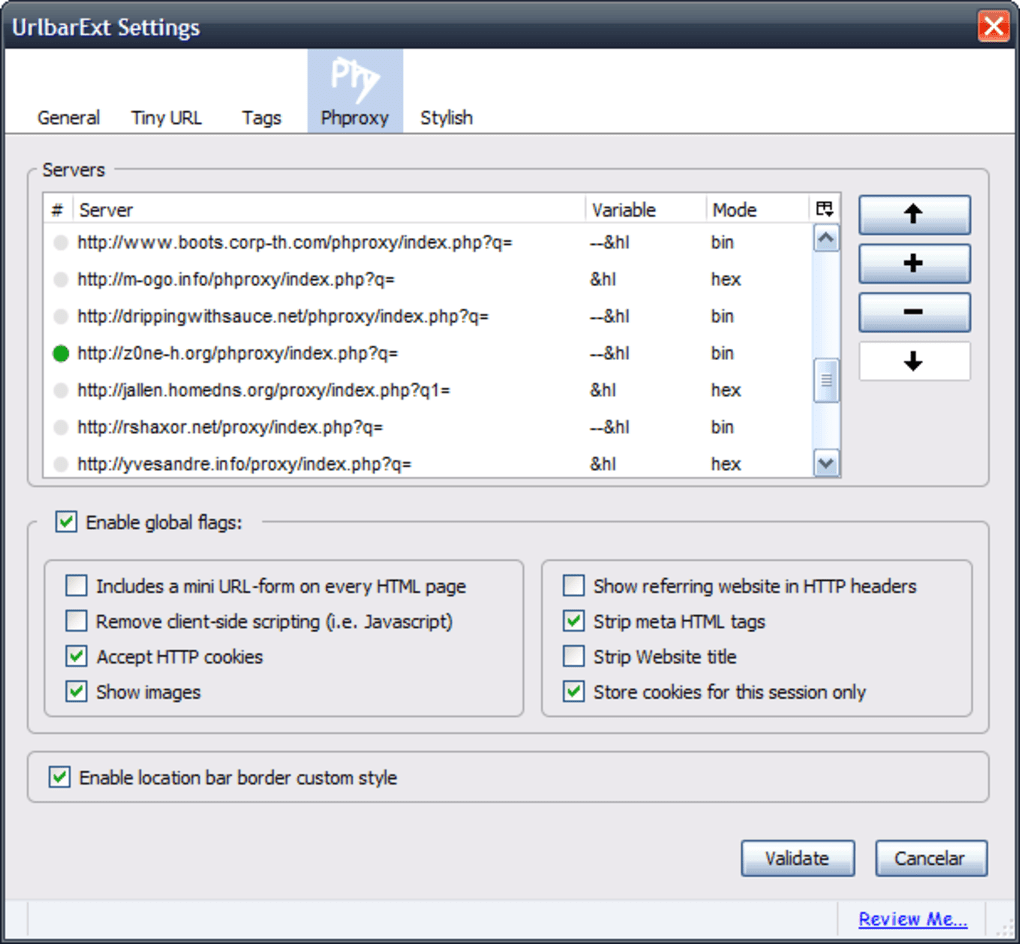
- Anonymous Surfing – Routes the current request through a selectable online proxy, adding a layer of privacy when needed.
Each button is rendered as a compact SVG icon that blends seamlessly with Firefox’s native UI, ensuring the extension looks native rather than tacked‑on. The real strength of UrlbarExt lies in its ability to cut down repetitive actions. For example, content marketers who tweet dozens of links daily will appreciate the one‑click tiny‑URL creation, while developers debugging a series of similar endpoints can step through sequential URLs without manual edits.
The built‑in tagging system also doubles as a lightweight bookmarking tool, allowing you to categorize pages by project, priority, or any custom label you prefer. Even the anonymous surfing feature, though not essential for casual browsing, provides a quick way to test how a site appears from a different geographic location or IP range—useful for SEO professionals and privacy‑conscious users alike. All of these functions are accessible without leaving the current tab, meaning fewer context switches and a smoother workflow.
Installation, Compatibility & Usage
Step‑by‑Step Installation
Installing UrlbarExt is straightforward. Begin by opening Firefox and navigating to the official Mozilla Add‑Ons store. Search for “UrlbarExt” or follow the direct link provided on the developer’s website. Click the Add to Firefox button, confirm any permission prompts, and the extension will appear instantly in the location bar. After installation, a brief welcome tooltip explains the position of each new button and offers a link to the settings page for advanced customization.
System Requirements & Operating Systems
UrlbarExt is built exclusively for the desktop version of Firefox and works on all major operating systems that support the browser, including Windows 10/11, macOS 10.15 (Catalina) and later, and popular Linux distributions such as Ubuntu, Fedora, and Debian. The add‑on leverages Firefox’s WebExtensions API, which guarantees compatibility with future releases as long as the API remains stable. Mobile versions of Firefox (Android and iOS) do not currently support UrlbarExt because the mobile UI does not expose a location bar that can host custom buttons.
Getting the Most Out of the Tool
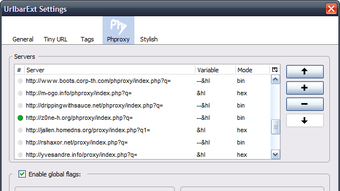
Once installed, each icon is clickable directly from the address bar. Hovering over an icon reveals a tooltip with a short description of its function. For power users, the settings panel (accessible via the gear icon on the right‑most button) offers granular control: you can reorder the buttons, enable or disable specific features, choose your preferred URL shortening service, and even add custom proxy servers for the anonymous surfing button.
The panel also includes an export/import option for your configuration, making it easy to replicate your setup across multiple machines. If you encounter any issues—such as a proxy server failing to load—UrlbarExt logs detailed error messages in Firefox’s built‑in console, allowing you to troubleshoot or report bugs to the developer. Regular updates are pushed automatically through Firefox’s add‑on ecosystem, ensuring you always have the latest security patches and feature enhancements without manual intervention.
Pros, Cons & Frequently Asked Questions
Pros
- Free and open‑source, with no hidden fees or premium tiers.
- All seven functions are available directly from the address bar, reducing mouse clicks.
- Highly customizable settings for advanced users.
- Lightweight; adds less than 200 KB to Firefox’s memory footprint.
- Regular updates keep the tool secure and compatible with new Firefox versions.
Cons
- Deep configuration options can be intimidating for beginners.
- Anonymous surfing relies on third‑party proxy services, which may be slower or less reliable.
- Not available on Firefox for Android or iOS.
- Some users report occasional conflicts with other address‑bar extensions.
FAQ
Is UrlbarExt safe to use?
Yes. UrlbarExt is reviewed by Mozilla before being listed in the Add‑Ons store, and it follows the WebExtensions security model, which isolates it from sensitive browser data. The proxy feature uses reputable public services, but you can also add your own trusted proxies.
Can I customize which buttons appear?
Absolutely. The settings panel lets you drag‑and‑drop buttons to reorder them, enable or disable any function, and even hide the entire toolbar if you prefer a cleaner address bar.
Which URL shortening services does UrlbarExt support?
By default, the extension works with TinyURL, Bitly, and is.gd. You can add custom API endpoints in the advanced settings if you have a preferred service.
Will UrlbarExt slow down my browsing?
No. The add‑on is designed to be lightweight, and its functions are executed locally except for the proxy feature, which depends on external servers. Most users notice no perceptible performance impact.
How do I report a bug or request a new feature?
You can open an issue on the developer’s GitHub repository or use the “Feedback” button in the extension’s settings panel. The author is responsive and frequently incorporates community suggestions.
Conclusion & Call to Action
In the crowded landscape of browser extensions, UrlbarExt distinguishes itself by delivering genuine time‑saving functionality directly where you type URLs. Its seven well‑thought‑out buttons address everyday pain points—copying links, shortening URLs for social media, navigating site hierarchies, and even adding a privacy layer when needed. While the configuration panel may initially feel dense, the default layout works flawlessly for most users, and the ability to tailor the toolbar ensures that you can shape it to fit any workflow. If you spend a significant portion of your day in Firefox, especially for research, content creation, or SEO work, installing UrlbarExt is a low‑risk, high‑reward decision. The extension is free, regularly updated, and integrates seamlessly with Windows, macOS, and Linux versions of the browser.
Ready to boost your browsing efficiency? Download UrlbarExt now and start experiencing a faster, more productive Firefox session. Don’t forget to explore the settings panel to unlock the full potential of this powerful tool—customize your button order, add your favorite proxy servers, and set up your preferred URL shortener. With UrlbarExt, the location bar finally lives up to its name.







